Nothing here is ever overdue.

ProgressCove is the calm to-do app. A task you haven't done yet is simply ongoing: no red, no guilt, no pile-up. Organize your whole life by areas and projects, and share one plan with your household.

…or open it in your browser: nothing to install.

Free 14-day trial · No card required · Your data is always exportable

ProgressCove's Today view: due and ongoing items in a calm list, no red anywhere.

Why it feels different

Built for how a life actually moves, in bursts, with pauses.

Never wonder where to start.

ProgressCove floats your closest-to-done work to the top, so opening the app answers a question instead of asking one. You feel in control, not buried.

Onboarding asks 'What's on your plate?': pick your life areas and it builds the structure.
A project at 78%, 7 of 9 complete, counting what's done, never what's looming.

See how far you've come.

Progress here is counted, kept, and shown, what's done, never what's looming. No streaks to lose, no charts that scold. Just quiet evidence that showing up works.

Some decisions should make themselves.

Give a repeating task a list of options and it picks one for you each time it comes round, working through them without repeating itself. Soup of the day: chicken noodle. You stop deciding what to cook and just cook.

A task called Soup of the day, its name ending in the subtask it picked, above the five soups it chooses from.

It can live in your house.

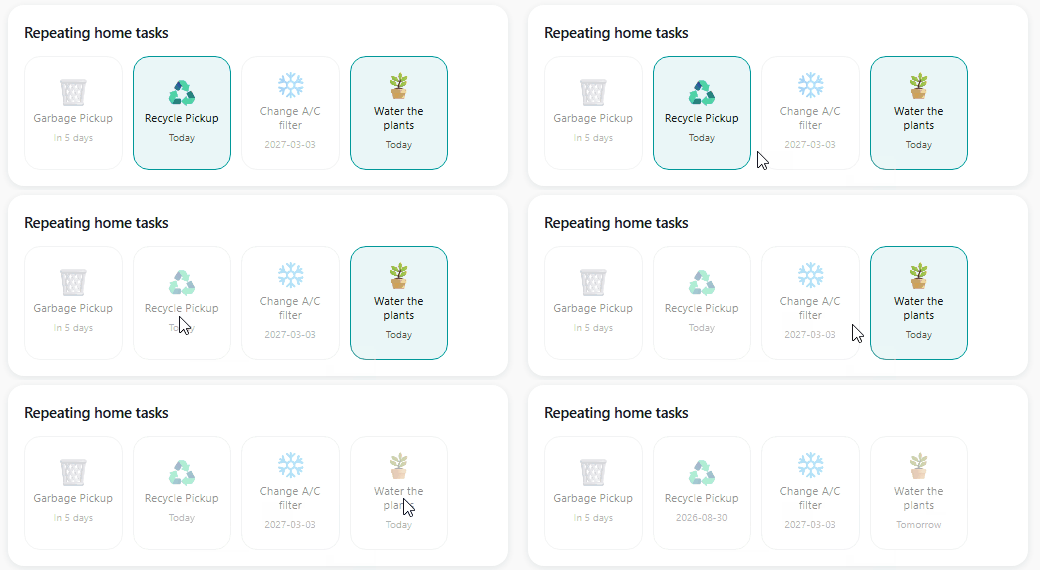
Our Home Assistant integration puts the recurring jobs on a wall panel, so taking the bins out is a switch by the door rather than a phone in your pocket. Ask your voice assistant what is due today and it answers from the same lists. See the integration.

Never carry it all alone.

One subscription covers your whole household. Share the chores and the grocery run with full editing for everyone, while each person's own space stays private. Family members only ever see what you choose to share.

A shared Shopping project with per-item progress: one subscription for the whole household.

Private by design, yours by default.

Your tasks are your inner life. Everything you type is encrypted at rest on our servers, and your data is exportable anytime. The web app's source and the backend's will be freely available soon: no lock-in,ever.

How it works

A home for everything, so you always know where your projects went.

If other apps felt like lists of lists, this is the fix: four simple levels that the app teaches you as you set it up.

STEP 1

Pick your life areas

Work, Home, School, Scouts, the big buckets your life already has.

STEP 2

Add projects

Inside each area: the backyard refresh, the science fair, the Q3 report.

STEP 3

List the tasks

The concrete steps. Dates optional. Nothing ever turns red.

STEP 4

Break big ones down

Subtasks make big steps startable, small pieces move.

Prefer a plain list? Skip the setup and ProgressCove works like the notepad you came from, the structure stays invisible until the day you want it. Works as a simple list, grows into a system.

Switching?

Honest comparisons, because you're probably here from one of these.

ProgressCove vs TickTick

TickTick is a great app. ProgressCove started as a dashboard built on it, then became its own thing, with more structure, a real project overview, and the whole family on one plan.

Read the comparison →

ProgressCove vs Todoist

Todoist wants a date on everything. ProgressCove has no overdue state at all, dates are optional, and your pace is the right pace.

Read the comparison →

ProgressCove vs Things 3

Things has a lovely interface, but it's Apple-only and single-user. ProgressCove keeps the calm and adds Android, a browser-based web app, and family sharing.

Read the comparison →

Questions

Frequently asked

Is ProgressCove a good TickTick alternative?

ProgressCove began as a dashboard built on TickTick, then grew into its own app. It keeps what's good about a task manager but adds more structure, areas hold projects, projects hold tasks and subtasks, a real overview of how each project is doing, and the whole family on one plan. Learn more →

How is ProgressCove different from Todoist?

Todoist leans on deadlines and overdue states. ProgressCove has no overdue anywhere: a task you haven't done yet is simply ongoing. Dates are optional and nothing punishes your pace. Learn more →

Is there an app like Things 3 for Android?

Things 3 is Apple-only by design. ProgressCove brings a calm, structured task manager to Android, plus a web app in any browser, and family sharing Things doesn’t offer. Learn more →

Does ProgressCove have a free trial?

Yes, 14 days, everything unlocked, no credit card required. If the trial ends, your data stays readable and exportable. Whenever you're ready.

Can my family share one subscription?

Yes. One plan covers your household. Share the chores project with full editing for everyone; each person's own areas stay private, family members only see what you deliberately share.

Can I self-host ProgressCove?

The web app is live now at app.progresscove.com: same account, nothing to install. Its source and the backend's will be freely available soon for people who want to run their own server; the Android and iOS clients and our cloud service remain paid.

Does it work with Home Assistant?

Yes. The integration is free and open source: your lists become to-do entities, single tasks become buttons or switches you can put on a dashboard, and three cards ship with it. It is in beta while we gather feedback. Install instructions are on GitHub.

Is my data encrypted?

Everything you type, including task names, project names and notes, is encrypted at rest on our servers, and your data is exportable anytime. You're never locked in.

How much does it cost?

$4.99/month or $39.99/year after the free trial: one subscription, the whole household, on Android, iOS and the web.

Progress over perfection. Always.

Ready for a to-do list that's on your side?

Start for free, 14 days

No card required · Cancel anytime · Your data is always yours

Questions, or a hand?

Get in touch

We read every message and reply within a few days.